
Computing & Printing
High-performance workstations with fast network and professional software around the building
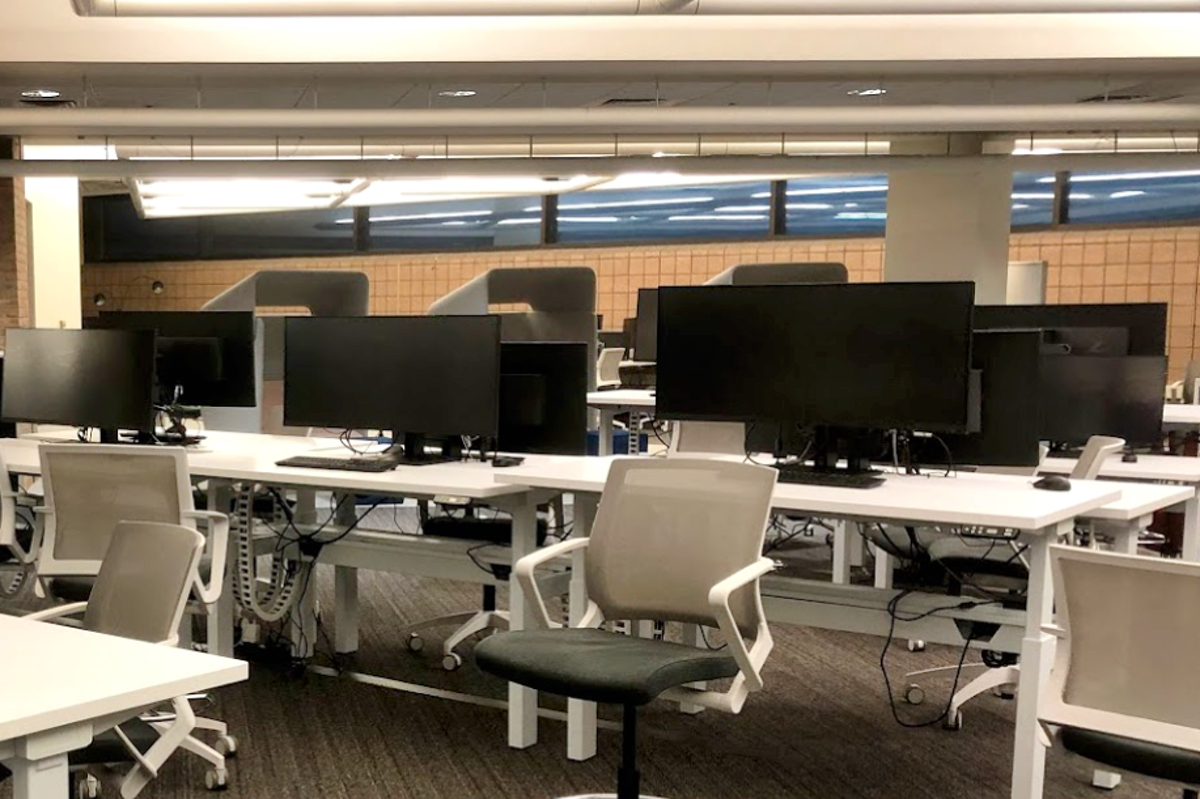
The Duderstadt Center provides more than 400 computers, high-speed networking and WiFi, software, and other equipment, to U-M users. Most are enhanced specifically to support the creative disciplines of the North Campus schools and colleges: architecture, engineering and information technology, and the performing and studio arts.
Computer Workstations
CLSE Workstations
Location: 2nd and 3rd Floor computing clusters
Dual-boot computers provisioned with CAEN Lab Software Environment (CLSE) desktop computing environment and a specialized collection of software for:
- Microsoft Windows (software list)
- Linux (software list)
Library Computers
Location: 2nd Floor near Info Desk
Supported by Art, Architecture and Engineering Library (AAEL), the computers provide access to USPTO (U.S Patent and Trademark Office) records and tools (see also: U-M Library USPTO Guide)
Groundworks Workstations
Location: 1315 Duderstadt Center
Groundworks is the north campus Macintosh lab that has multiple Mac Studio computers. Though the resources are connected to individual hardware pieces, if you just need a nice Mac to work on, you are welcome!
View the complete software list
Campus Computing MacOS workstations
Location: the lobby area facing the Grove
Campus Computing Sites provide public access workstations—including a wide variety of software and computing services—to U-M students, faculty and staff. U-M ITS Campus Computing Sites provides numerous workstations that are available in the circulation areas of the DC Atrium on the north and west sides.
XR Capable Workstations
Location: 1401-1405, Duderstadt Center (Mon-Fri, 9AM-5PM)
Visualization Studio equips with 31 workstations configured for XR development with the following specification:
- Dell Precision 3660
- 13th Generation Intel Core i5-13600K
- Nvidia GeForce RTX 4090
- 64GB DDR5 up to 4400MHz memory
- Windows 11
View the complete software list
Accessible Computing
- All U-M Computers provide provide basic assistive technology, including the built-in accessibility features in Windows and Mac.
- Walkup workstations in the Atrium also provide ITS Sites Computing assistive software including screen readers, magnification, and read/write programs.
- The Knox Center (access limited to registered students) is located in the Shapiro Library on Central Campus. It offers quiet space, lockers, computers, and additional assistive technology including voice recognition software, and adjustable furniture.
- For more information about accessible computing and assistive technology resources see U-M Information and Technologies – Accessible Computing.
Printing & Scanning
Desktop B&W, color, and tabloid-size printers
Most public printers in the Duderstadt Center are part of U-M’s MPrint service, with select locations offering color and tabloid-size printing. View the MPrint map (Duderstadt Center) for printer locations, features, availability, and per-page costs.
Other Large-Format Printing Options
TCAUP Printing Lab: Offers high-resolution printing and a wider range of paper options. Located across the street on the second floor of the Taubman College/Stamps building.
Foresight Group: Specializes in high-quality, large-volume print jobs.
FedEx Office: Provides quick turnaround for large-volume printing.
Note: Posters printed through ITS and delivered to North Campus are now picked up at the Pierpont Commons Tech Shop.
Network and WiFi Access
Network services, including WiFi, in the Duderstadt Center are provided by U-M Information and Technology Services. For comprehensive information see: “WiFi & Networks”
For assistance or or to report a problem regarding network and WiFi services contact the ITS Service Center via one of the three ways below:
- Submit a Service Request Online
- 734-764-HELP (764-4357)
- [email protected]
- U-M ITS Help Page